The New Table Stakes
AI isn’t a “nice-to-have” anymore. Users expect smarter features, investors ask about your AI strategy, and competitors are already experimenting.
But here’s the founder reality:
- You’ve got an app in production.
- Customers depend on it.
- Rebuilding from scratch isn’t an option.
So the question becomes: How do you retrofit AI into your existing architecture without breaking everything?
Strategy #1: Start With the Use Case, Not the Model
Many teams rush to “plug in GPT-4” without a plan. Instead:
- Ask: What specific user problems can AI solve inside our app?
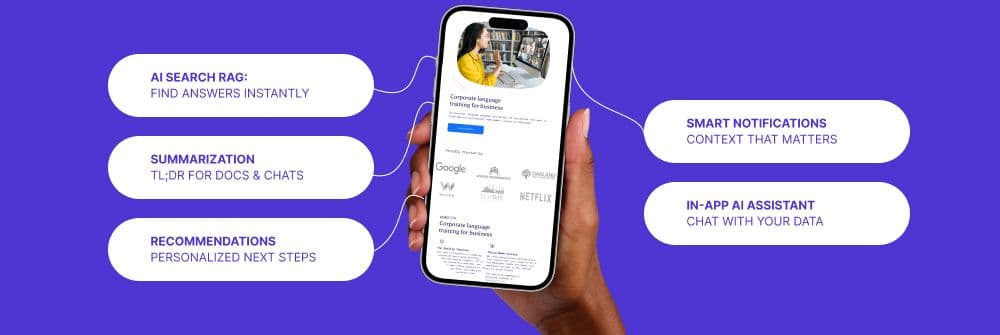
- Examples: AI search, personalized recommendations, auto-summarization, smart notifications.
- Rule: Start small → validate ROI → expand.
Strategy #2: Choose the Right Integration Pattern
There are three main ways to bolt on AI:
- API-first (fastest route)
- Use OpenAI, Anthropic, or hosted AI APIs.
- Pros: Low setup, fast to test.
- Cons: Ongoing costs, vendor lock-in, latency.
- Hybrid (APIs + custom models)
- Use hosted models for general tasks, fine-tuned models for domain-specific ones.
- Example: OpenAI for natural language + Hugging Face fine-tuned model for medical data.
- On-prem or self-hosted (maximum control)
- Deploy open-source LLMs like LLaMA or Mistral on your own infra.
- Pros: Control, privacy, lower long-term costs.
- Cons: Heavy infra + ML ops needed.
Strategy #3: Data Architecture Matters More Than Models
Without clean, structured data, your AI features will fail.
- Challenge: Most legacy apps have messy, siloed data.
- Recommendation:
- Implement a data pipeline (ETL with Airbyte, dbt, or Supabase functions).
- Normalize and tag your data before feeding it to models.
- Use vector databases (Pinecone, Weaviate, Supabase Vector) for semantic search and retrieval.
Strategy #4: Build for Scale & Latency
Technical challenges founders underestimate:
- Latency: AI calls add milliseconds → seconds. Users hate waiting.
- Solution: Queue non-critical AI tasks (notifications, tagging) and only run synchronous calls for user-facing features.
- Cost Management:
- Batch requests, cache embeddings, reuse results where possible.
- Don’t let runaway API calls destroy your burn rate.
- Monitoring:
- Track drift, hallucinations, and costs. Treat AI like an evolving service, not a static feature.
Strategy #5: Don’t Forget Security, Privacy, and Compliance
Especially for fintech, healthcare, or enterprise apps:
- Avoid sending sensitive data directly to third-party APIs.
- Use anonymization, tokenization, or self-hosted models.
- Stay ahead of GDPR/CCPA/industry regs.
Conclusion: AI is an Evolution, Not a Rebuild
Integrating AI into your app isn’t about tearing down what you’ve built. It’s about layering intelligence on top of proven architecture.
Start small, validate ROI, scale deliberately.
That’s the Responsive approach: from prototype AI features to production-grade integrations.
👉 If you’re ready to add AI to your application, let’s talk: Product Development Services